
Plan your entry & exit strategiesAcross Multiple Exchanges
Deploy precise limit order ladders across exchanges in batches. Set conditional rules to automatically create new orders when others fill. Ajust to liquidity pools & save on brokerage firm's spread fees. Crypto Broker is the spot order management tool built for power traders who think in ladders, not single bets.
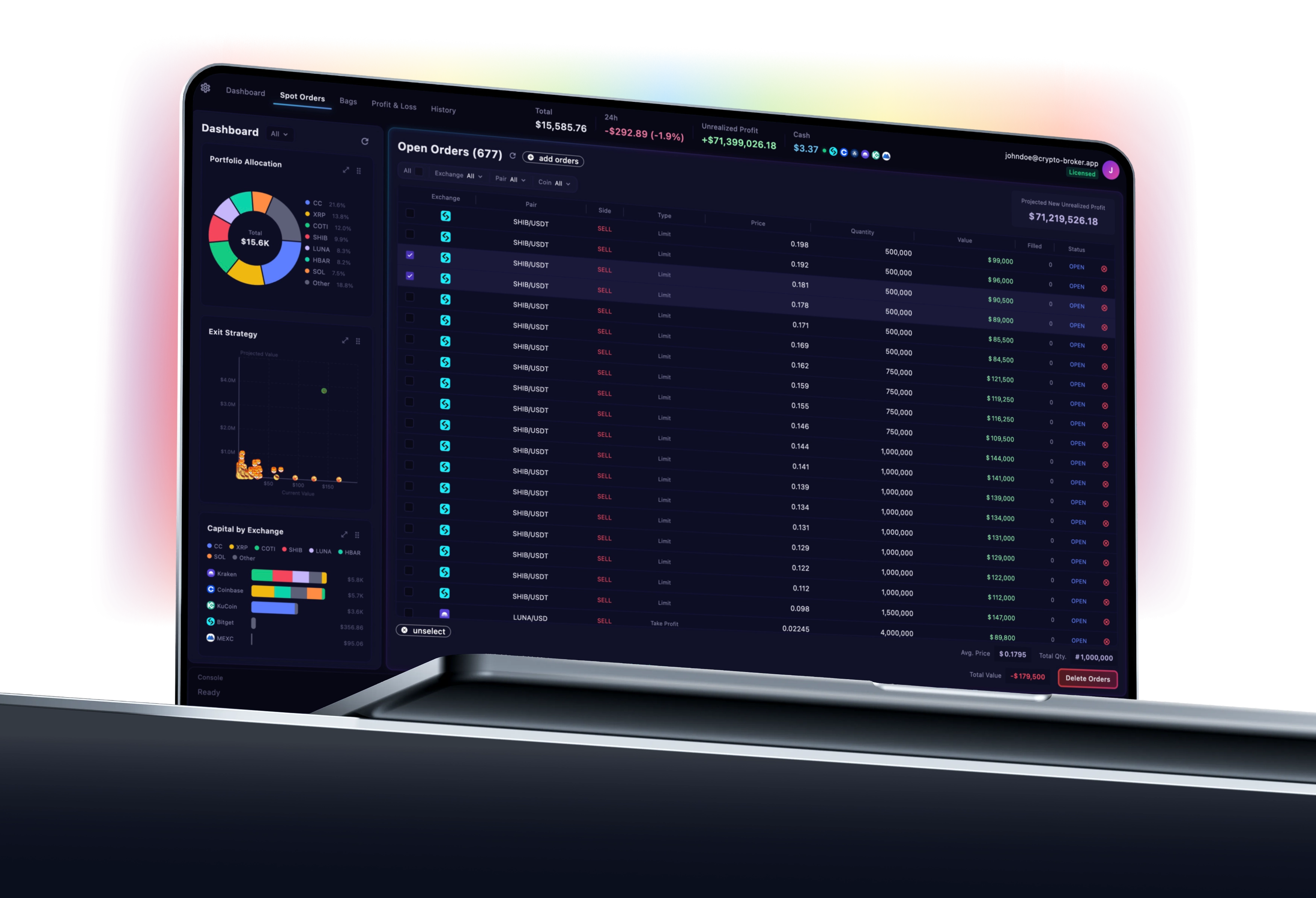
Your Entire Spot Order Book. One Screen.
A purpose-built dashboard for spot limit order power users — unified order table, real-time P&L, capital allocation, and order coverage across all your exchanges at a glance.
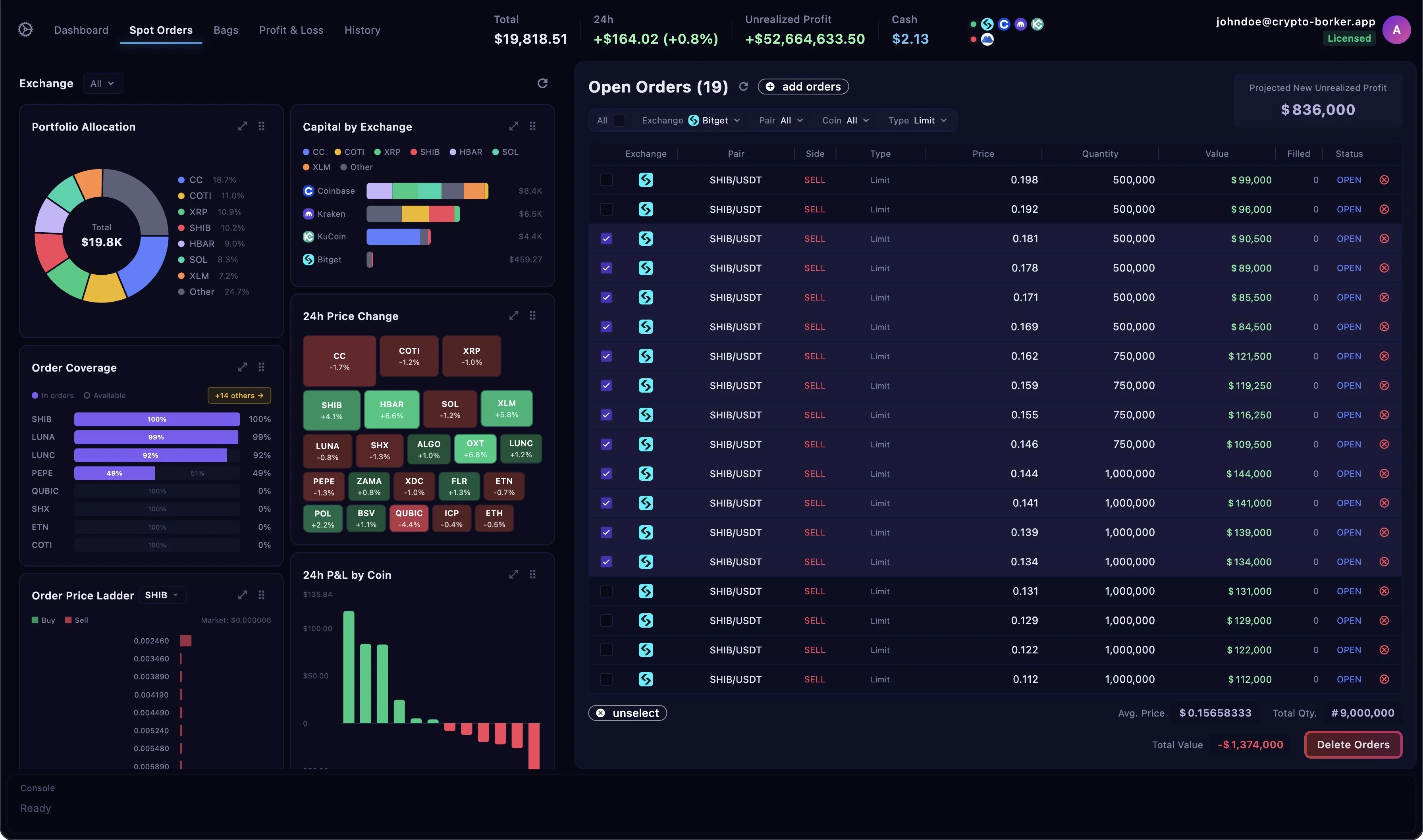
Plan Your Exit Strategy.
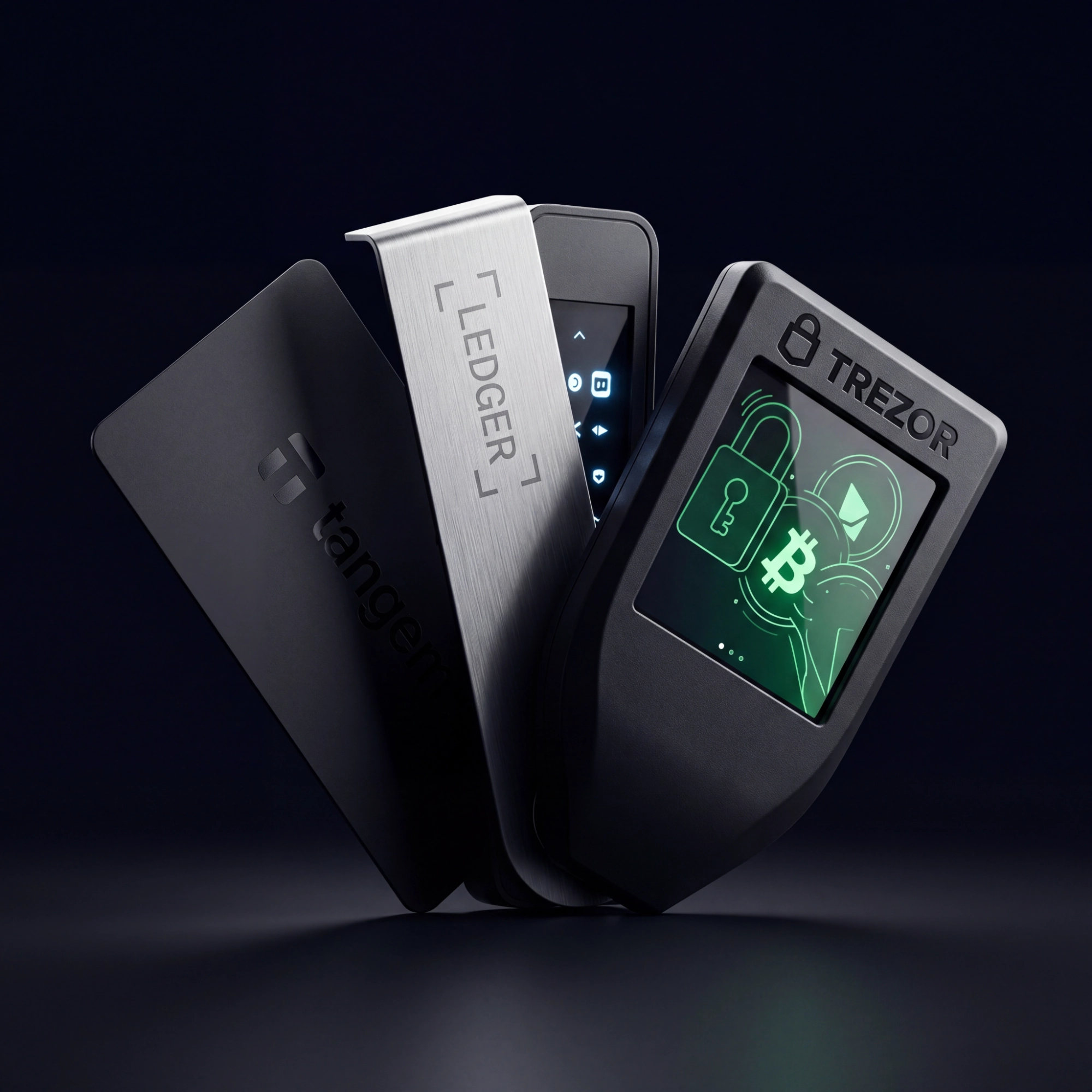
Keep Your Crypto in Cold Storage.
Stage your entire position exit on Crypto Broker without ever moving a coin off your hardware wallet. Build every order in advance — then deploy everything the moment you're ready.
No Balance Required — Ever
Your crypto stays on your Ledger, Trezor, or Tangem while you plan. Local orders are staged entirely client-side — nothing touches an exchange until you decide.
Build Your Full Exit in Advance
Lay out dozens of staggered limit orders at your exact target prices. Refine entries, adjust quantities, and structure your whole strategy with zero commitment.
One-Click Deployment
When you're ready to act, transfer your crypto and deploy your entire strategy in seconds. Every staged order goes live simultaneously across your exchanges.
Invisible Until You Strike
Local orders never touch the exchange order book. Your intentions stay completely private — no market signal, no front-running risk — until you choose to deploy.
Powerful Analytics, Built Into Every View
Every dashboard panel is a decision tool — designed to give you instant clarity on where your capital is, how your orders are performing, and what your exit looks like.
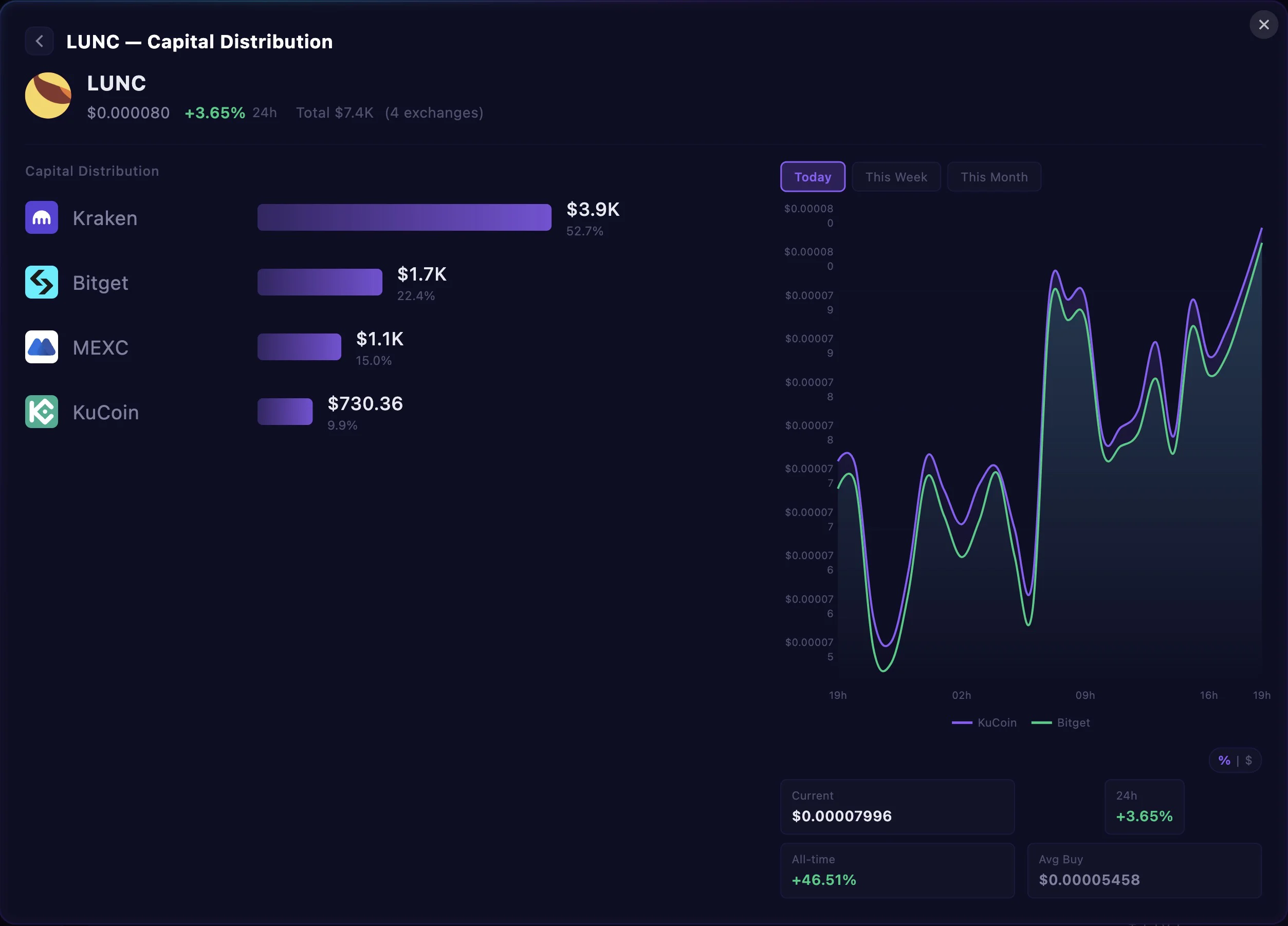
Understand What Drives Each Coin's Performance
Open from the 24-hour chart on any coin to get a deeper breakdown of how your capital is distributed across price levels. See where your buy pressure is concentrated, how your ladder is spaced relative to current price, and whether your allocation matches your conviction — all in one focused panel.
Manage your orders like a Ninja 🥷
Every tool you need to deploy precise order ladders — all in one window.
Exchange Selector

Projected Order Coverage
Market Depth
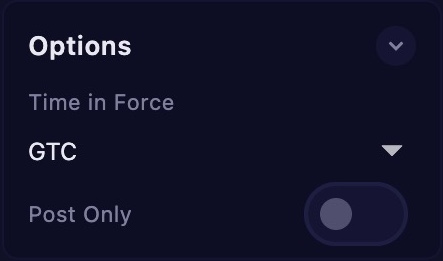
Order Options
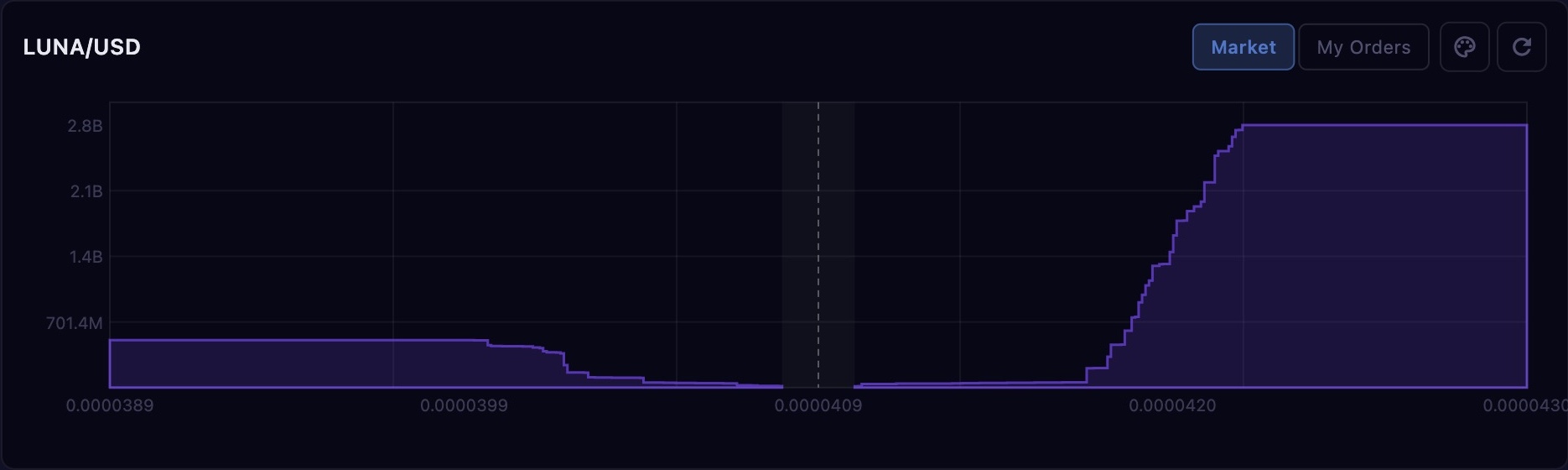
Order Book Preview
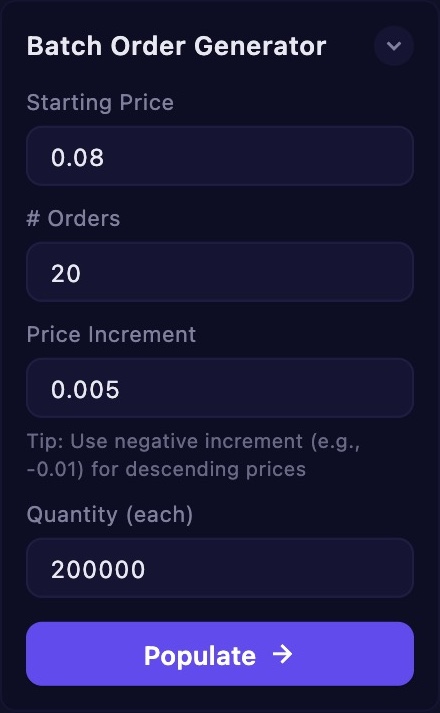
Batch Generator
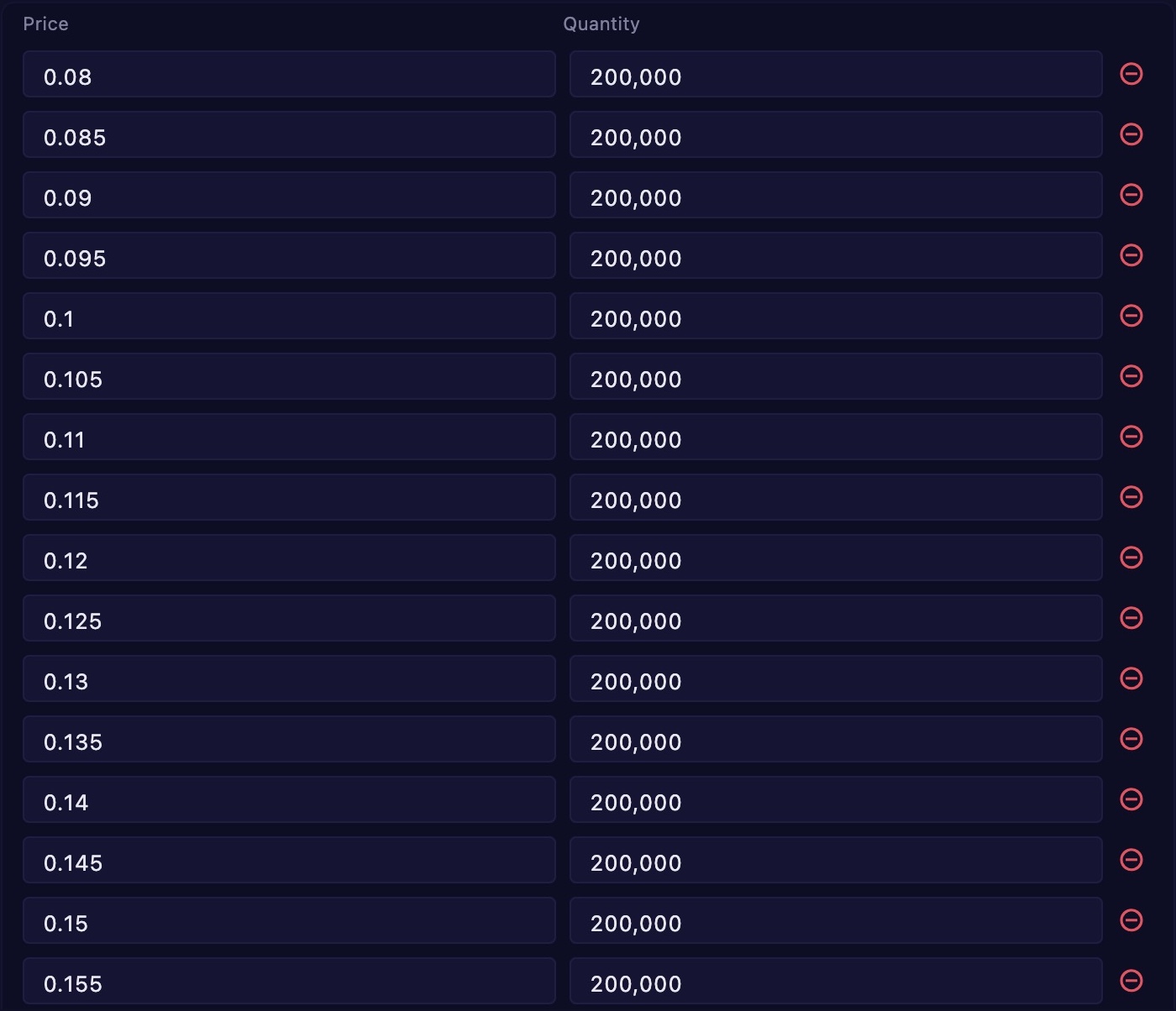
Order Table

Order Type & Pair
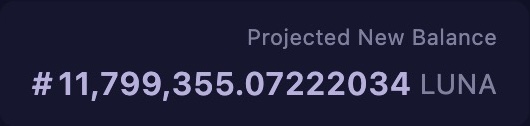
Projected Balance
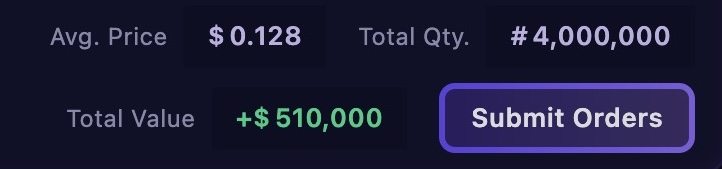
Order Summary
Manage your orders
like a Ninja 🥷
Every tool you need to deploy precise order ladders — all in one window.
Liquidity Is Everything — Spread It Across Exchanges
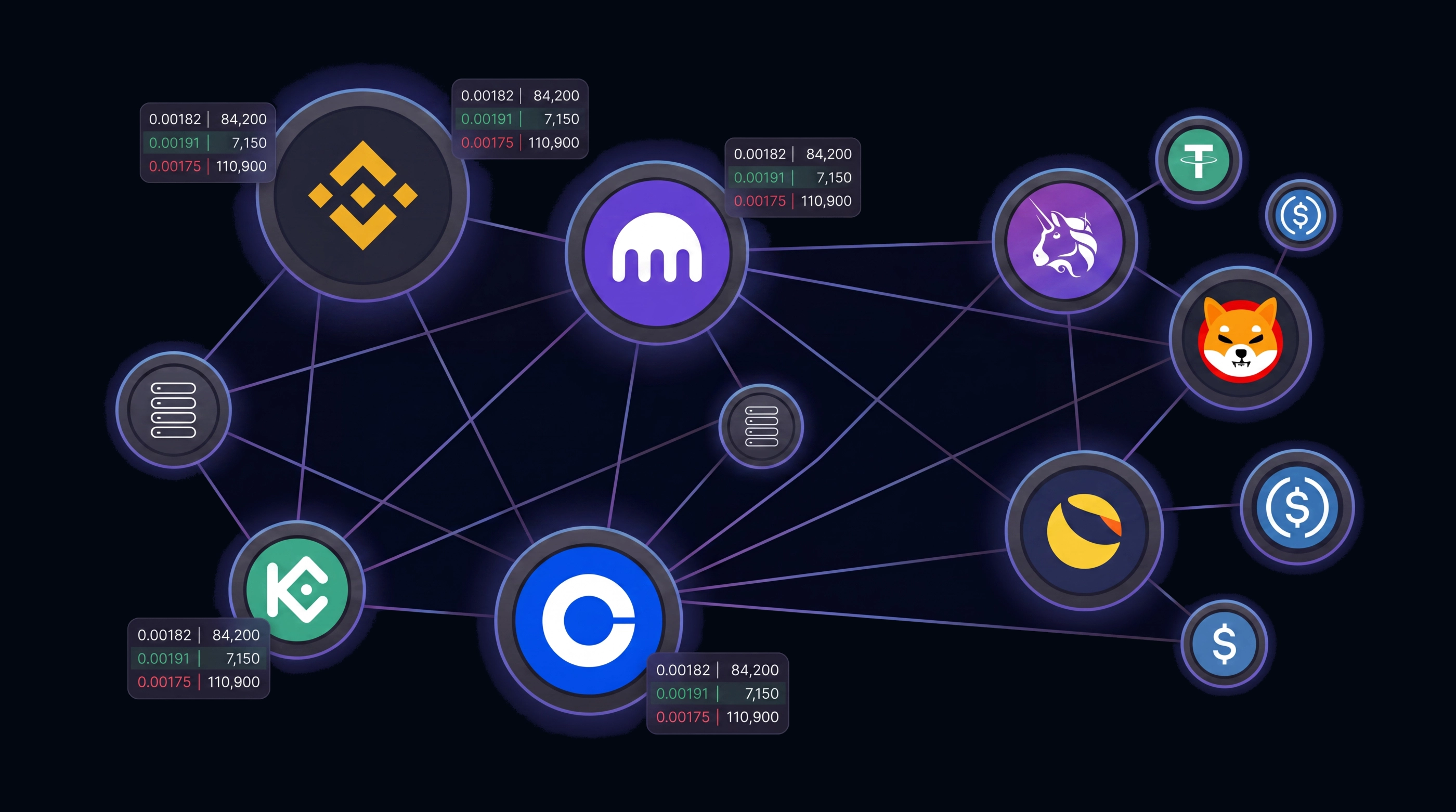
The same coin trades differently on every exchange. Kraken's BTC/USD order book, KuCoin's BTC/USDT, and MEXC's BTC/USDT each represent entirely distinct pools of liquidity — different buyers, different sellers, different fill probabilities.
By deploying your limit order ladder simultaneously across multiple exchanges, you multiply your chances of a fill at any given price level, reduce single-exchange dependency, and capture the best available prices across the entire market — all from one workflow.
Not a Bot. Not a Tracker. A Spot Order Command Center.
Every other tool automates your trading away from you or just watches it happen. Crypto Broker puts precision back in your hands.
You Place Every Order
Bots trade for you based on rules. Crypto Broker executes what you decide — with the speed of automation and none of the black-box risk. Your strategy, your orders, your control.
Execution, Not Observation
Trackers show you what you hold. Crypto Broker lets you act on it — placing, managing, and canceling limit orders across exchanges without ever touching a single exchange UI.
All Exchanges, One Interface
Native exchange apps are siloed by design. Crypto Broker aggregates your full spot order book across every connected exchange — one unified table, one dashboard, one place.
Every Tool You Need, From Entry to Exit
Import a spreadsheet, generate a ladder, set a rule that fires when an order fills, then let the menu bar keep watch — all without switching apps or writing a single script.
Seamless Spreadsheet Import
- Copy directly from Google Sheets or Excel — no CSV export needed
- Paste price, quantity, side, and order type all at once in any column order
- Instant row-by-row parsing into validated, ready-to-submit orders
- Built-in review table — spot and fix errors before you send
- Works across all 14 connected exchanges in a single import session
Batch Order Generator
- No spreadsheet? Not an issue — define a range and orders appear instantly
- Set start price, step interval, and quantity to build a full ladder in seconds
- Choose volume distribution: equal, increasing, or decreasing per step
- Preview the full ladder before submitting — tweak on the fly
- Send to one exchange or spread the same ladder across multiple simultaneously
Conditional Order Rules
Set up intelligent rules that watch your open orders and automatically trigger follow-up actions — so you can respond to fills even when the app is closed. Define what to watch, under what conditions, and exactly what to do next.
- Trigger on specific order fills — pick exactly which orders to watch
- Add a price condition — only act if the market meets your criteria
- Define the action — place a buy or sell order automatically
- Runs in the background via the macOS menu bar — no window needed
- Pause, resume, or edit any rule at any time
Example rule
When my selected BTC/USDT sell orders fill
Watching 3 orders on Kraken
If ETH price ≤ $2,500
Checked at fill time
Buy 5 ETH/USDT at market price on MEXC
Executes immediately when triggered
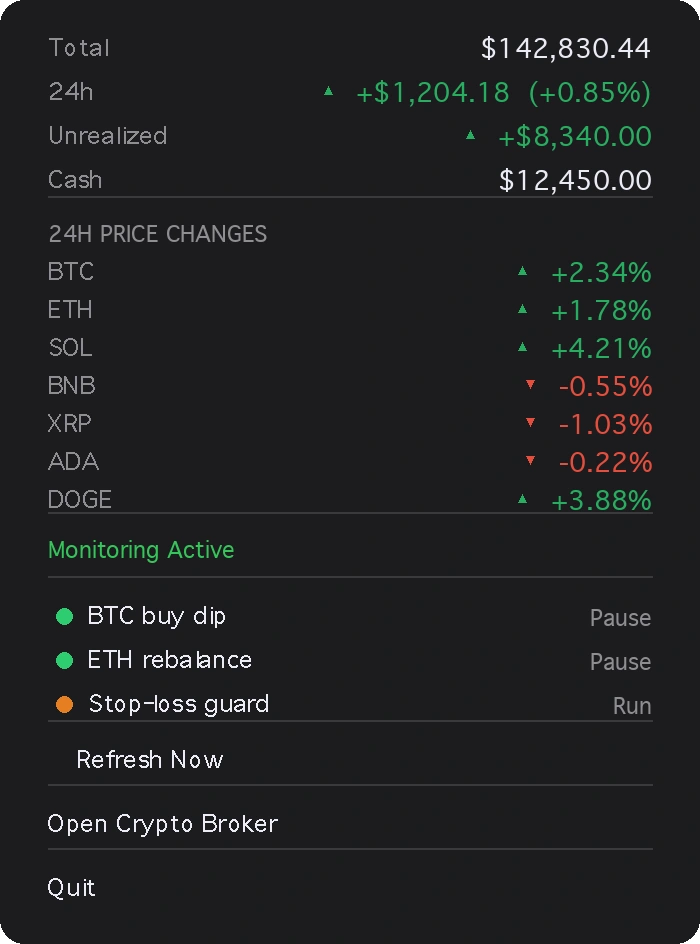
The Watcher
A little companion to monitor your portfolio at a glance.
A discreet menu bar icon that lives in your macOS or Windows taskbar — always a click away, never in the way. Open it anytime to see your full portfolio snapshot and every coin's 24h move, without touching the main app.
- Total value, 24h change, unrealized profit and available cash — always current
- Per-coin 24h % movements with colour-coded ▲ ▼ indicators
- Live status of your conditional order rules
- Pause, resume or trigger a refresh directly from the menu
- Adapts colours for light and dark macOS menu themes
Supported Exchanges
Trade across 14+ major cryptocurrency exchanges from one unified interface.
 Kraken
 MEXC
MEXC Bitget
 KuCoin
 Coinbase
 Binance
 Bybit
Bybit OKX
OKX Gate.io
 Bitfinex
 Bitstamp
 Crypto.com
 Gemini
 HTX
HTXDesigned around your security
Crypto Broker never touches your funds. Every architectural decision was made to keep you in full control.
API Permissions
Trade-only access.
No withdrawal rights.
You configure your API key's scope directly on your exchange. Crypto Broker only requires trading permissions — withdrawal access is never needed, never granted.
IP Restriction
Locked to your
machine only.
Exchanges support IP-whitelisting on API keys. With your home IP allowlisted, no other machine on the planet can execute requests with your credentials.
Local Storage
Keys live on
your devices. Period.
Your API keys are never transmitted to any server. Desktop and mobile sync directly over your local Wi-Fi network — the cloud is never in the loop.
Know Your Numbers —
On Every Device
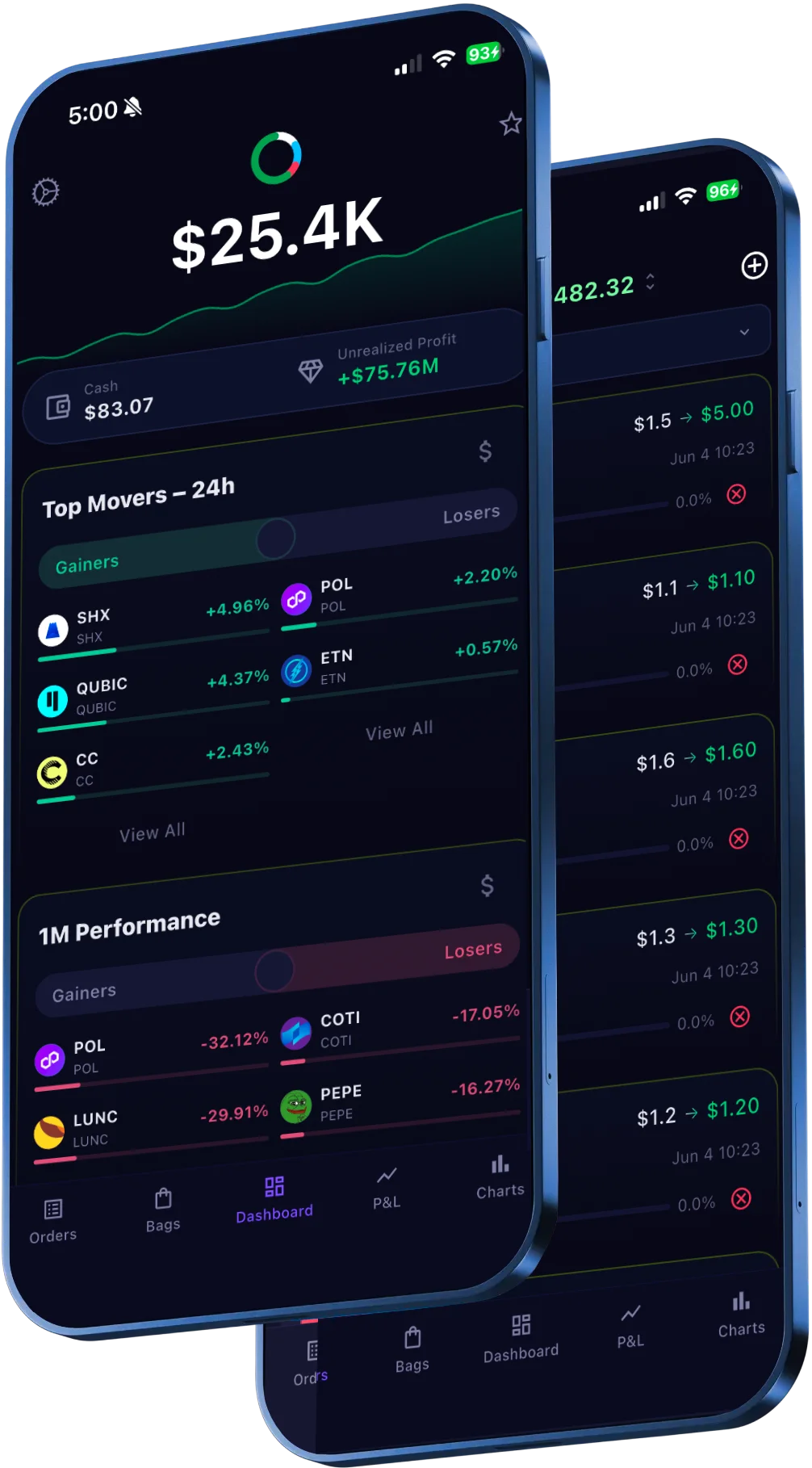
Crypto Broker keeps you informed whether you're at your desk or on the move. Check your P&L per coin, monitor open orders, and track unrealized gains from your phone or tablet — all on the same account as your desktop.
- P&L per coin with 24h and all-time performance
- Unrealized profit across all open positions
- Average purchase price & cost basis tracking
- Open orders across all exchanges on mobile and tablet
- Expected profit and order distribution summaries
Simple, One-Time Pricing
Pay once, use forever. No subscriptions, no hidden fees.
Free Version
Get started at no cost
- Real-time crypto holdings monitoring
- Unlimited orders across all exchanges
- Unlimited local orders
- Multi-exchange support
- Batch order creation
- Register on Desktop, mobile & tablet
- Devices management (3 devices included)
- Conditional order rules
- No support
- Secure on-device storage
No credit card required.
Pro License
Everything you need for professional trading
- Real-time crypto holdings monitoring
- Unlimited orders across all exchanges
- Unlimited local orders
- Multi-exchange support
- Batch order creation
- Conditional order rules
- Register on Desktop, mobile & tablet
- Devices management (3 devices included)
- Lifetime updates and support
- Secure on-device storage
Start with 25 free orders. No credit card required.
Frequently Asked Questions
Everything you need to know before getting started.
No. Crypto Broker only uses your exchange API keys to place and manage orders. API key permissions are configured entirely on your exchange's platform — you control exactly what the key can and cannot do. We strongly recommend creating keys with trade-only permissions and disabling withdrawal access. Your keys are stored locally in your device's secure storage (macOS Keychain / Windows Credential Manager) and are never sent to our servers.
Every new account gets 25 free orders — no credit card required. You get full access to all features: multi-exchange support, batch order creation, spreadsheet import, and real-time monitoring. Once you've used your 25 free orders, you can purchase a lifetime license to unlock unlimited orders.
You pay once ($169) and use Crypto Broker forever. There are no subscriptions, recurring fees, or feature tiers. The license includes all future updates and new exchange integrations. You can activate it on up to 3 devices (e.g. your MacBook, iPhone, or Android phone) and manage them from your account dashboard.
Crypto Broker is available as a native desktop app for macOS (12+) and Windows (10+), and as a mobile app for both iOS and Android. You can use the same account across devices — your exchange connections sync locally on each device for security.
Crypto Broker supports 14 major exchanges: Kraken, MEXC, Bitget, KuCoin, Coinbase, Binance, Bybit, OKX, Gate.io, Bitfinex, Bitstamp, Crypto.com, Gemini, and HTX. You can connect as many as you need simultaneously and manage orders across all of them from a single interface.
Currently, Crypto Broker supports spot trading only. Futures and margin trading are on the roadmap for a future release. All 14 supported exchanges work with their spot trading APIs.
Crypto Broker respects each exchange's API rate limits automatically. When submitting batch orders, the app throttles requests per exchange (e.g. Kraken allows 15 orders per call, KuCoin allows 5). Auto-refresh intervals are also tuned per exchange so you never hit rate limit errors.
You can copy columns of price and quantity data directly from Google Sheets or Excel and paste them into the order table — the app parses each row automatically. Alternatively, the built-in Batch Order Generator lets you define a starting price, increment, and quantity to create dozens of precisely spaced ladder orders in seconds. Both methods work across any connected exchange.
The available order types depend on each exchange's API. Most exchanges support Market, Limit, Stop-Loss, Stop-Loss-Limit, and Stop-Market orders. Several also support Take-Profit, Trailing Stop, and OCO (One-Cancels-Other) orders. The app automatically shows only the order types your selected exchange supports.
No. Once you submit orders, they are placed directly on the exchange's order book. Crypto Broker is a trading interface — your orders live on the exchange and will fill whether or not the app is running. You can close the app and come back later to check status.
Conditional order rules let you define automated follow-up actions that trigger when your open orders fill. Each rule has three parts: a Trigger (which specific orders to watch), an optional Condition (a price threshold that must be met at fill time), and an Action (a new order to place automatically). Rules run in the background via the macOS menu bar — you don't need to keep the main window open. You can create multiple rules, pause or resume them individually, and edit them at any time.
Ready to Supercharge Your Trading?
Join traders who save hours every week with Crypto Broker.
Start Your Free Trial